The remote control does not work.
Confirm that the TV still has power and is operational. Press the power button on the TV to determine if the problem is with the remote control or not.
Check the indicator on the remote control. (some remote controls do not support this function)
If the TV is not responding to the remote control, then please check if the indicator on the remote control flashes when any button is pressed.
If the indicator does not flash when the remote control button is pressed, the battery power may be low. You can replace the batteries with new ones. For solar remote control, you can charge it by exposing the solar panel to light or using a USB type-C cable.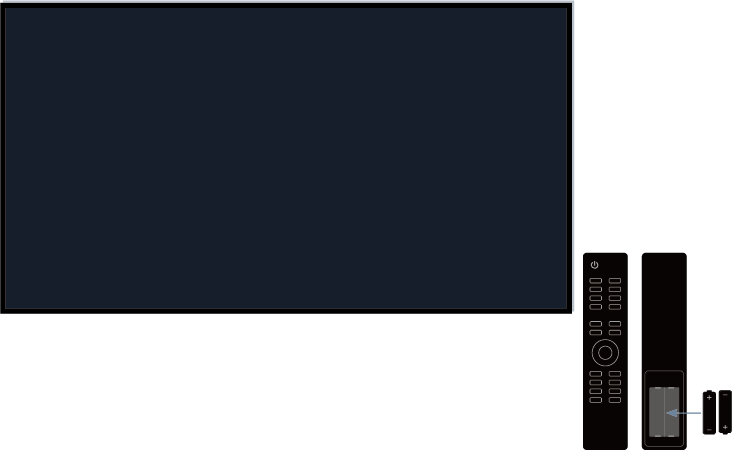
Check the orientation of each battery. Make sure to match the (+) and ( - ) ends of the batteries with the (+) and ( - ) ends indicated in the battery compartment. This method is only applicable for battery-replaceable remote control models.
If the battery power is normal, take out the batteries, press any key for 1~2 seconds, and install batteries back into the remote. This method is only applicable for battery-replaceable remote control models.
Use the remote control within an appropriate operation range. The remote control can work at a distance of up to 8 meters in front of the TV.
Keep the TV remote sensor area clear from obstacles. Use the remote control when there are no obstacles between the TV and the remote control.
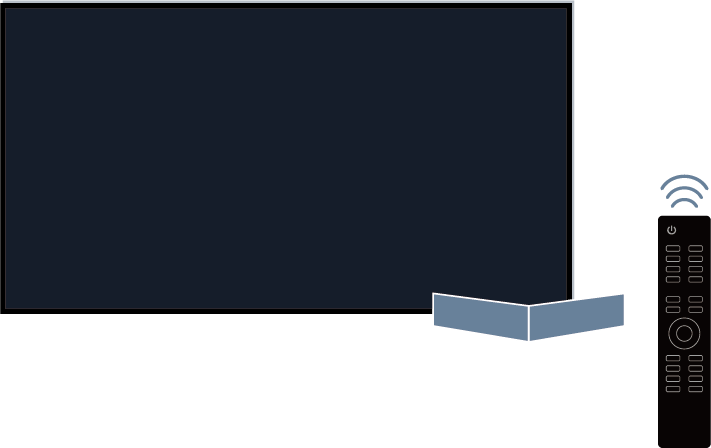
If the remote is not working, try to keep interferences such as wireless LAN access point, microwaves, or other Bluetooth devices away when using the remote control.
For Bluetooth remote controls, try re-pairing the remote control with the TV by pressing and holding the
 and
and  button at the same time at least 3 seconds.