My TV cannot connect to the network.
Before you review the solutions below, perform self-diagnosis to find the problem.
Check network status at  > Settings > System > About > Status.
When connected to a wireless network
Try to connect a wireless network again. Please carefully enter the password, especially for capital and small letters. For specific information please refer to First-Time Use > Connecting to the Internet > Connect to a Wireless Network in this manual.
You can connect other wireless device to the same network. If the connection also fails, contact your Internet service provider.
You can connect the TV to a wired network. If the wired network connection succeeds, there is an issue with your wireless modem/router.
Position your wireless router, modem router, or access point close to the TV. Avoid putting it in a corner. As much as possible, make sure there's no wall between the TV and router.
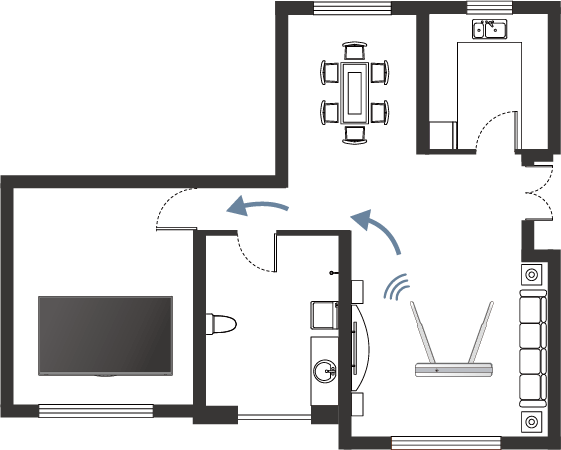
Check whether there is radio wave interference. Wireless devices such as microwaves, mobile phones, operating within the same radio frequency range may interfere with the TV. If you use the TV and other wireless devices simultaneously, you may experience a worse network performance. Please power off these wireless devices or move them further away.
Restart your modem/router. Power off your modem/router and power it on after at least 60 seconds. It may take time for your modem/router to reconnect to the Internet.
Check your modem/router. Make sure cables are securely connected to your modem/router and the lights flash intermittently and regularly.
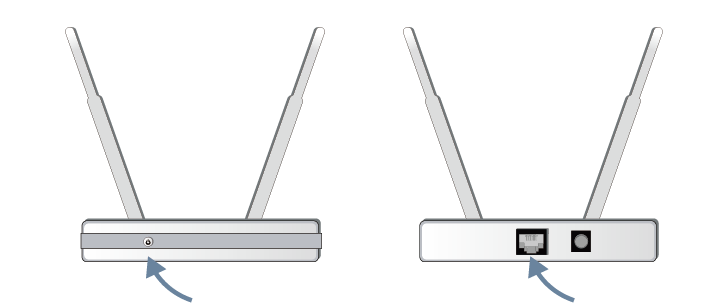
If the issue is not improved after following the steps above, you can try using a wired network connection. For specific information please refer to First-Time Use > Connecting to the Internet > Connect to a Wired (Ethernet) Network in this manual.
When connected to a wired network
Restart your modem/router. Power off your modem/router and power it on after at least 60 seconds. It may take time for your modem/router to reconnect to the Internet.
Check your modem/router. Make sure cables are securely connected to your modem/router and the lights flash intermittently and regularly.
Make sure one end of the network cable is securely connected on the back of the TV, the other end securely connected to an external modem/router. Any loose connection may cause unstable or disconnected network.